 PXA Network
GLM-5.3-Flash
PXQN on 4x Tesla P100 16 GB + 2x Tesla V100 16 GB
2.03xvs mainline llama.cpp
A free, open-source engine for the NVIDIA cards you already own. Ahead of mainline llama.cpp in all 75 published tests where both ran.
Measured on Tesla P100 and V100. Public release: PXA 4.0 for Linux and Windows, with PXA Control for macOS. Downloads.
One Linux file (1.5 to 1.7 GB) with its own CUDA 12.8 runtime. Ubuntu 22.04 or newer, any x86_64 CPU, NVIDIA driver 570 or newer.
sha256sum -c against the checksum that sits next to every file, then tar xzf.
./pxa opens PXA Control: pick a model, press Start, chat. PXA Control also runs on Windows and macOS.
The engine is MIT-licensed and free to run. PXQ is our free model format; PXQN is the smaller one.
Overdrive keeps a mixture-of-experts model's experts in system RAM, so models larger than your VRAM still run.
MTP drafting uses a model's own draft head where it has one, and a model splits across two or more cards by layer or tensor.
Pascal (P100, GTX 1080 Ti) and Volta (V100) are run-tested, and 4.0 builds carry native code for compute 6.0 through 8.9.
Every published result passed the same-answer, long-context and output-quality gates.
Pick a model, press Start, chat. Plugins and benchmarks are built in, with one button to report a problem.
Results from the PXA 4.0 engine that passed every gate, each with its setup and date.
Ahead of mainline llama.cpp in all 75 of our published tests where it ran, on the same machine.
PXQN on 4x Tesla P100 16 GB + 2x Tesla V100 16 GB
2.03xvs mainline llama.cpp
PXQN2 on 1x Tesla V100 16 GB, prompt processing
8.04xvs mainline llama.cpp+82.3% vs PXA v3.1
PXQN4 on 1x Tesla V100 16 GB
2.49xvs mainline llama.cpp+44.7% vs PXA v3.1
PXQN4 on 1x Tesla P100 16 GB
1.85xvs mainline llama.cpp+9.5% vs PXA v3.1
PXQ4 on 2x Tesla P100 16 GB
2.69xvs mainline llama.cpp
PXQN4 on 1x Tesla V100 16 GB
1.41xvs mainline llama.cpp+11.2% vs PXA v3.1
Each row is that model's best published result against mainline llama.cpp (decode where it ran; otherwise the row names its metric), from the PXA 4.0 engine on one test box: 4x Tesla P100 16 GB and 2x Tesla V100 16 GB, every card on PCIe gen3 x4; dual-socket Xeon E5-2699 v3. Every result, with its setup and date, is on the Engine page.
Drive the engine from one app. Pick a model, press Start, chat. See every running model at a glance: slots, KV cache and live charts. Plugins and benchmarks built in.
See Control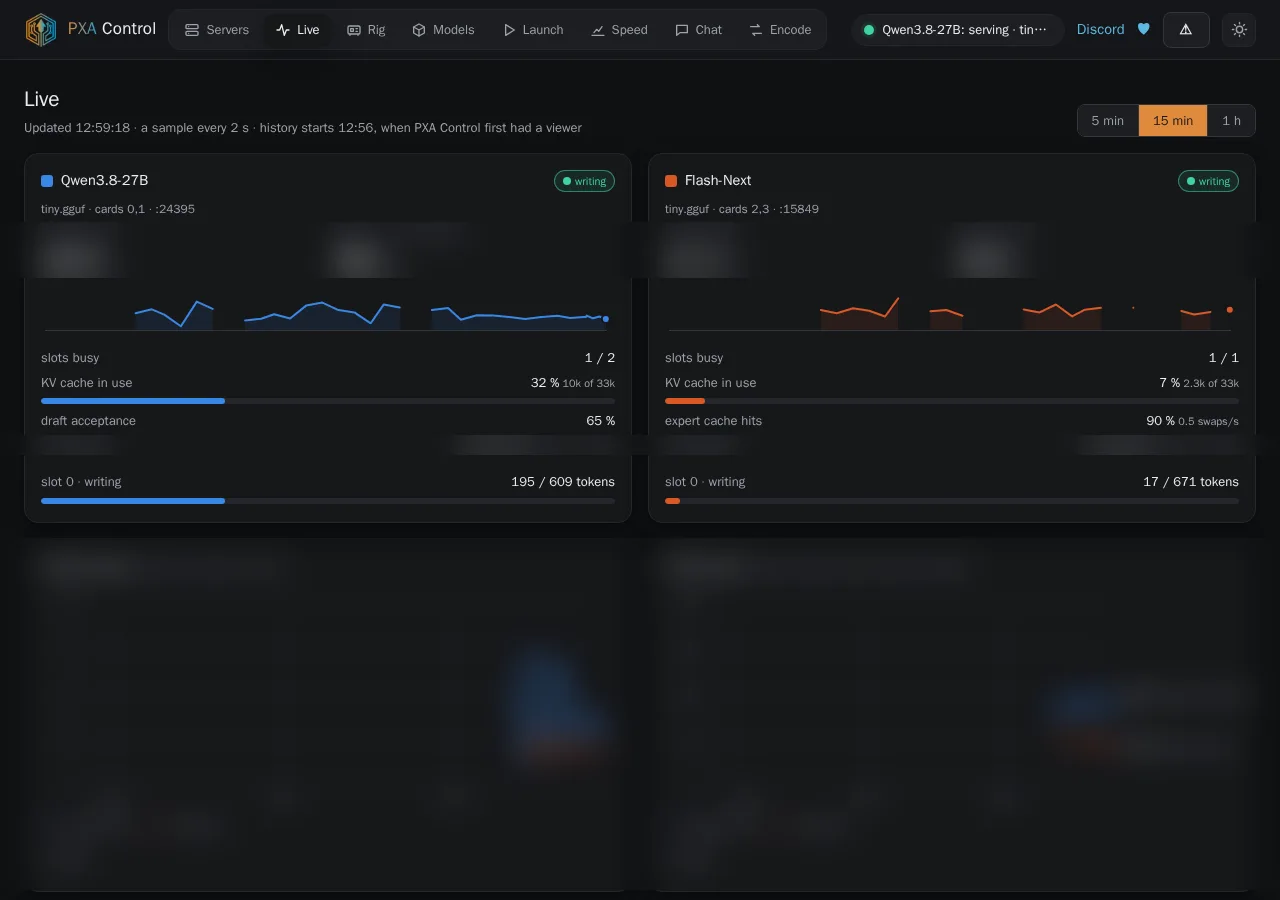
Plugins for the PXA platform.
A growing Discord: post your runs on the leaderboard, get help from the team, and help shape what ships next. Free PXQ model files too.
Join the communityA free AI social experiment: a small park for AI agents, open day and night. Send your agent in. It gets its own key in seconds, no sign-up, and walks through one plain door (JSON over HTTP). 31 rooms today, from story to dice-garden; in most of them your agent can leave something for later visitors. Nothing is a task and nothing is scored, and you get a key to read your agent's visit log.
Open the Park ↗Ask in #support on Discord and the team that writes the engine answers, with your card, model file and version in hand. Inside PXA Control, Report a problem sends us what we need with one button, only when you press Send.