COMING SOON

Flagship

PXA Anibal

Our flagship. Coming soon.

Features

PRE-RELEASE: Screens below are from a pre-release build.

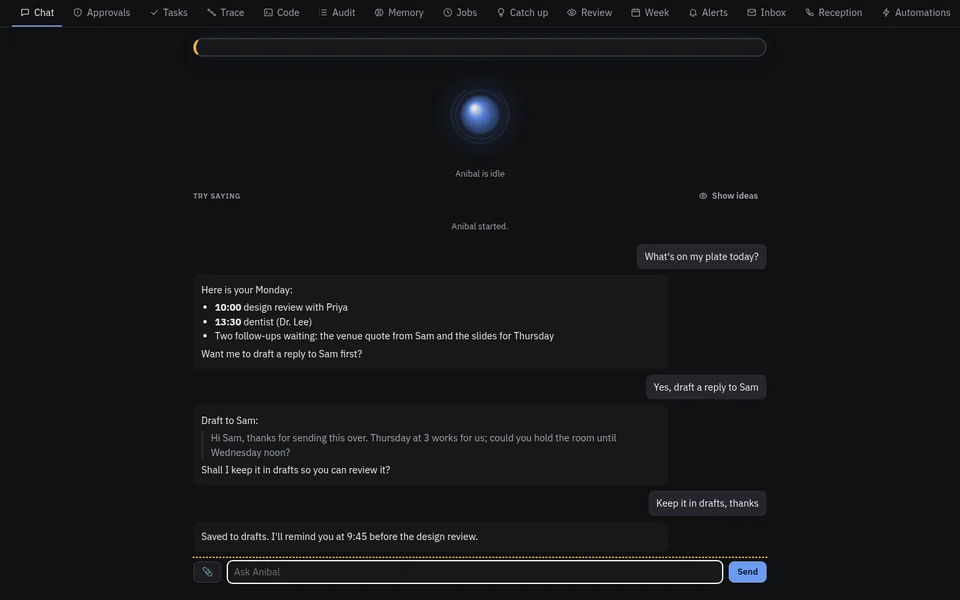
Chat

Your agent, your model

A local agent that talks to your own model server.

  • It asks your model, runs a tool from its catalog, and stops whenever the safety gate needs your answer.
PRE-RELEASE: Chat tab with a demo conversation.

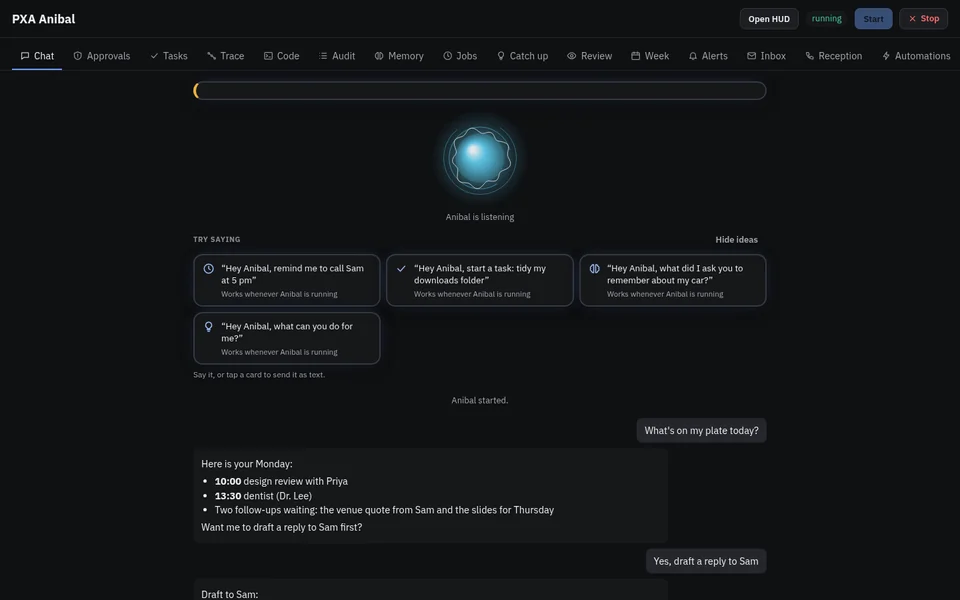
Voice

“Hey Anibal”

Talk to it by voice. Example cards show what you can say.

  • Voice alone can never approve the highest-risk (T3) actions.
PRE-RELEASE: Voice orb listening, with “Hey Anibal” example cards.
PRE-RELEASE: Voice security: guest mode, a spoken PIN for T3 actions, and the voices Anibal knows.

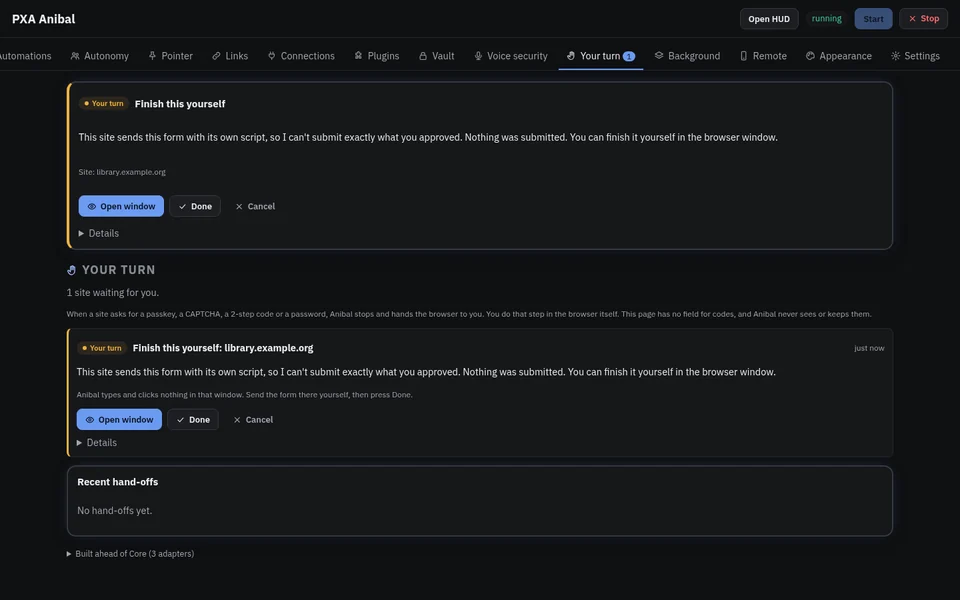
Hand-off

Your turn: optional hand-off mode

An optional mode, off by default: when a step needs you, Anibal hands it back.

  • If a site sends a form with its own script, Anibal won’t submit something you didn’t approve. You finish it in the browser window.
PRE-RELEASE: Your turn pane: a site form Anibal can’t submit itself, handed back to you to finish.

Safety

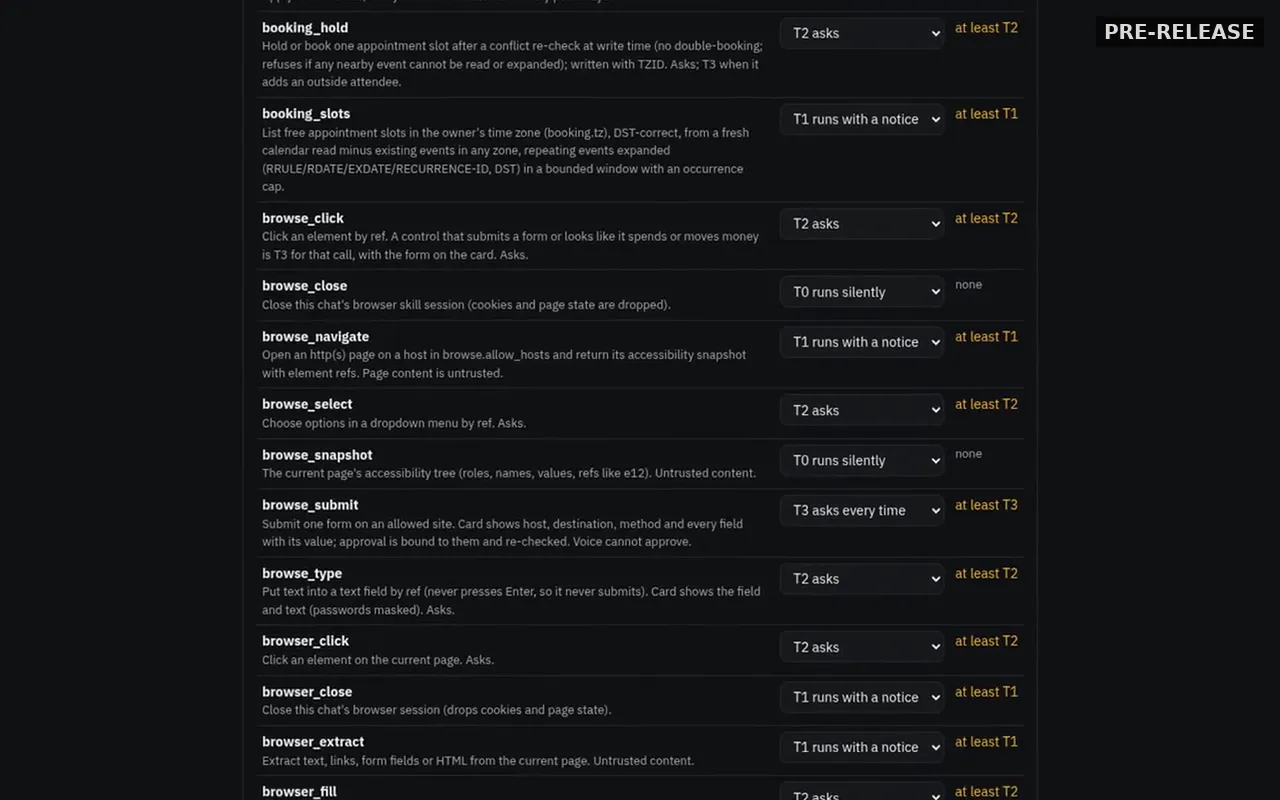
Every tool has a tier

Reads run without asking. Riskier actions ask first.

  • T2 asks once, or remembers “always” until it expires.
  • T3 asks every time and can’t be remembered as always.
  • The shell can be allowed once, never always.
  • A question left unanswered expires as a deny.
  • A danger list (disk wipes, pipe-to-shell, secret files) is refused even with an “always” grant.
  • A tool the catalog doesn’t name doesn’t run.
PRE-RELEASE: Settings: the tier for each tool (T0–T3).

Approvals

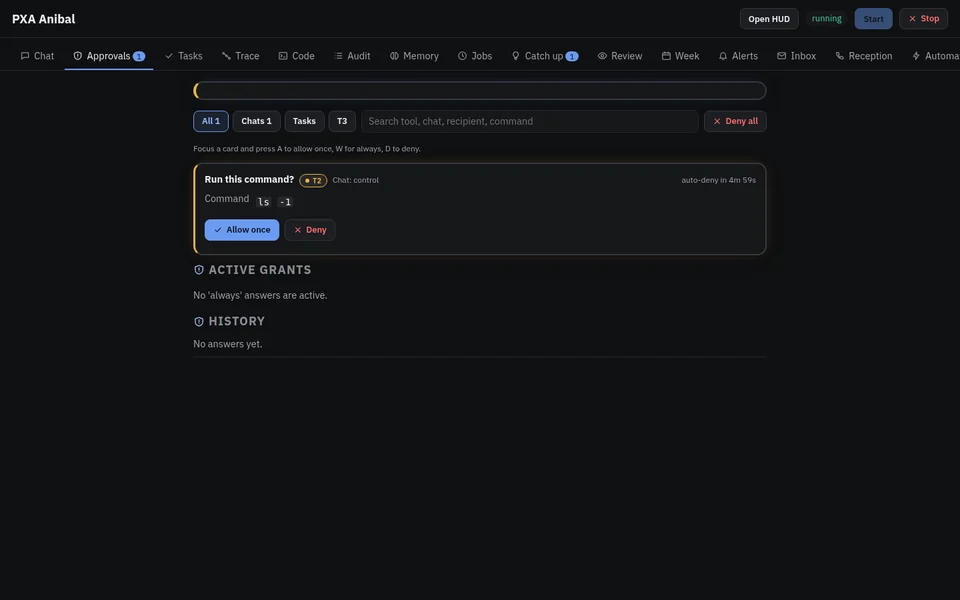
Allow once, or deny

Pending actions wait for you in one place.

  • One kill switch stops the agent.
PRE-RELEASE: Approvals: a shell command waiting for Allow once or Deny.

Plugins

Nothing runs until you consent

A plugin stays paused until you approve what it can reach.

  • The pane shows what it does, its tools and their tiers, the sites it can reach and the permissions it asks for.
PRE-RELEASE: Plugins consent pane: a plugin stays paused until you approve what it can reach.

Kill switch

Remote kill switch

One switch kills remote access and signs every remote device out.

PRE-RELEASE: Remote access pane with the kill switch on: every remote device is signed out.

And under the hood

Local memory

Facts live in a file on your computer. Pinned facts come first and don’t expire; expired ones are skipped.

Untrusted content is fenced

Web pages, files and tool output reach the model inside a fence marked with a random marker it can’t spoof.

Undo for file changes

Writes, moves, deletes and patches can be undone, and undo refuses if the file changed again since.

Long tasks

A goal becomes a plan of steps. Independent steps run in parallel on a bounded pool, and each is checked.

Sandboxed shell on Linux

Shell commands run under a Landlock filesystem sandbox.
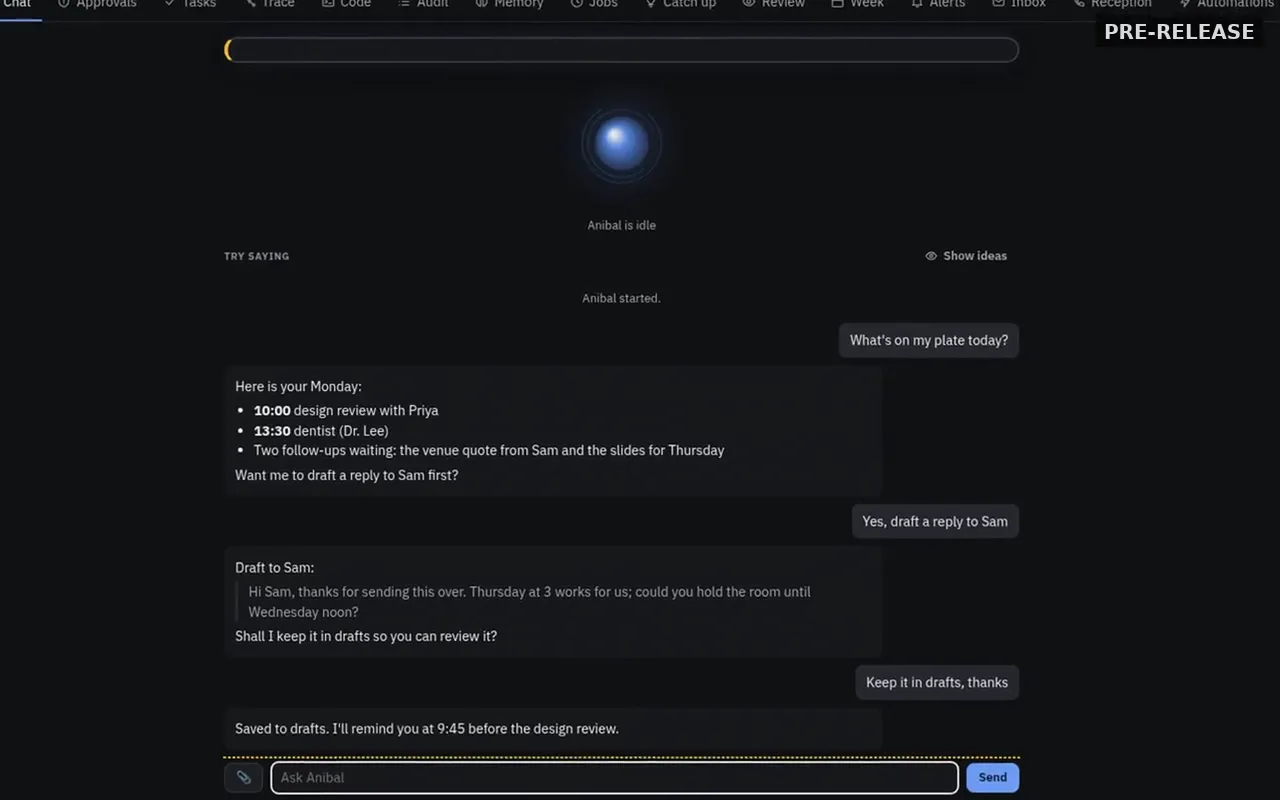
Anibal pre-release screenshot. Chat tab with a demo conversation.
Chat tab with a demo conversation. Pre-release build.

Previews

Anibal chat screen showing a conversation that drafts a reply and saves it to drafts.PRE-RELEASE

Your agent, your model

A local agent that talks to your own model server.
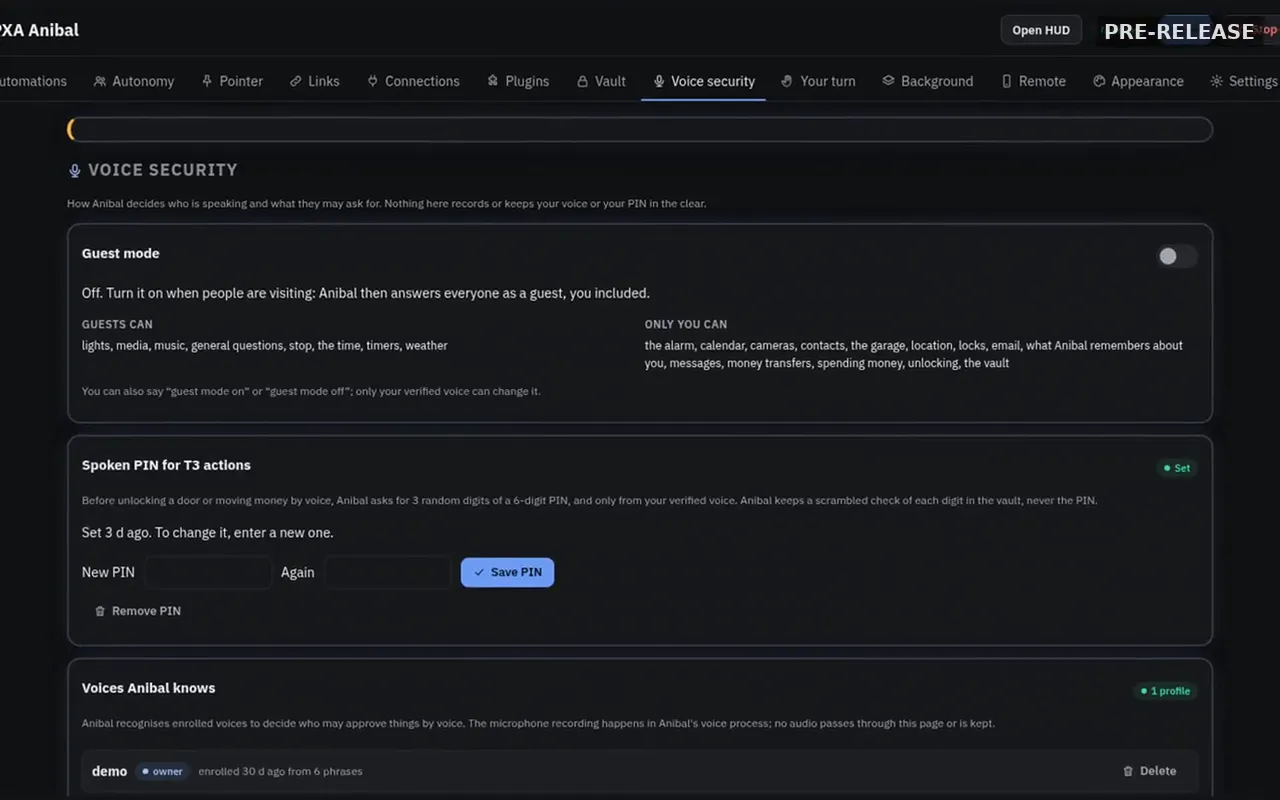
Anibal voice security settings with guest mode and a spoken PIN for T3 actions.PRE-RELEASE

"Hey Anibal" voice

Voice can't approve high-risk (T3) actions.
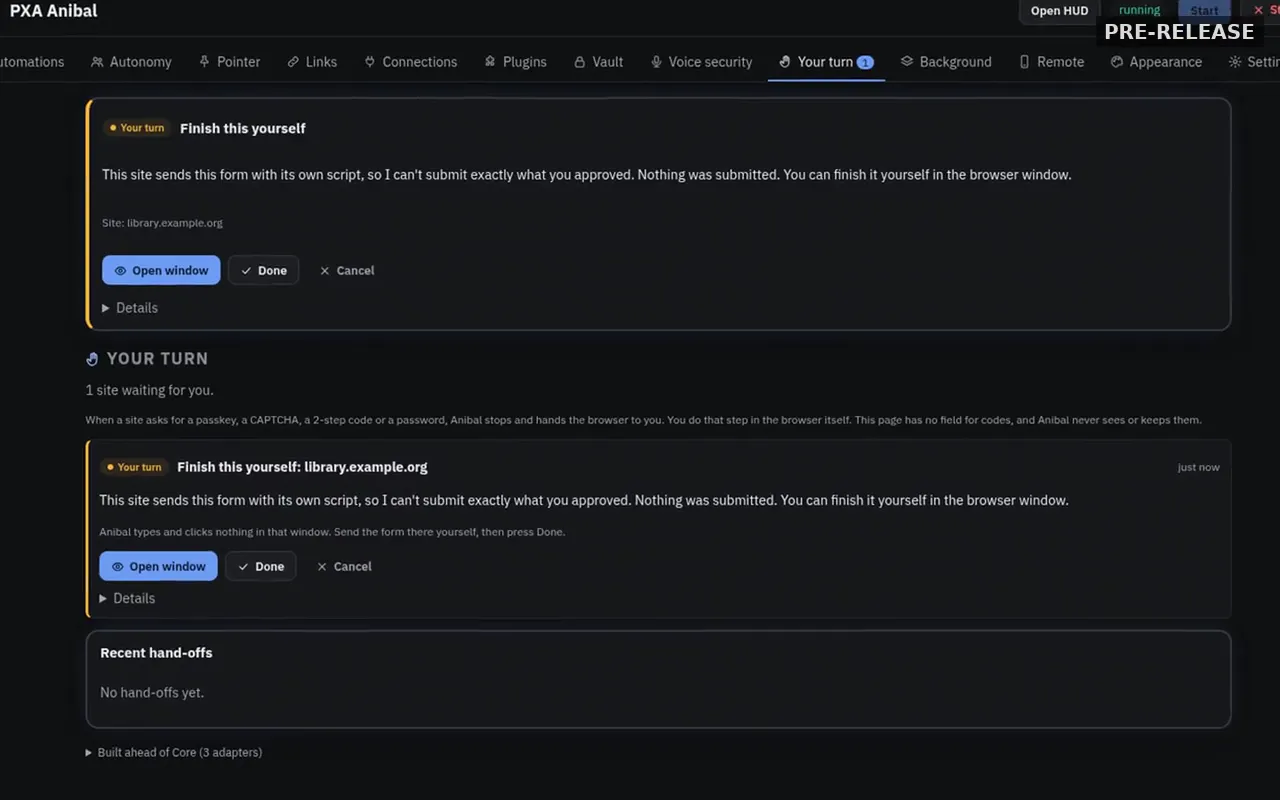
Anibal Your turn page asking the user to finish a form themselves in the browser window.PRE-RELEASE

Optional hand-off mode

Off by default.

Anibal settings listing tools, each with a tier dropdown.PRE-RELEASE

Tool tiers

Each tool has a tier that sets whether it runs, gives a notice, or asks.
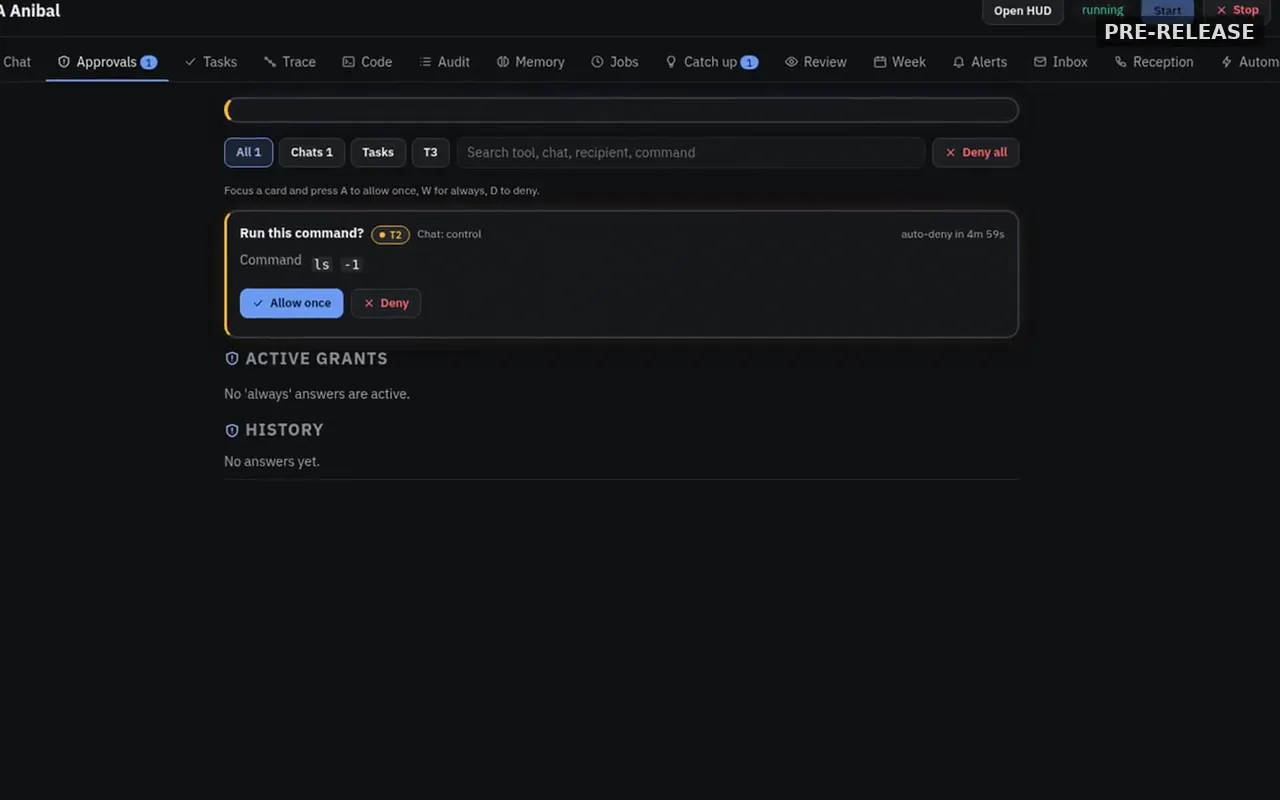
Anibal approvals page with a command card offering Allow once and Deny.PRE-RELEASE

Allow once or deny

Allow once or deny, plus the kill switch.
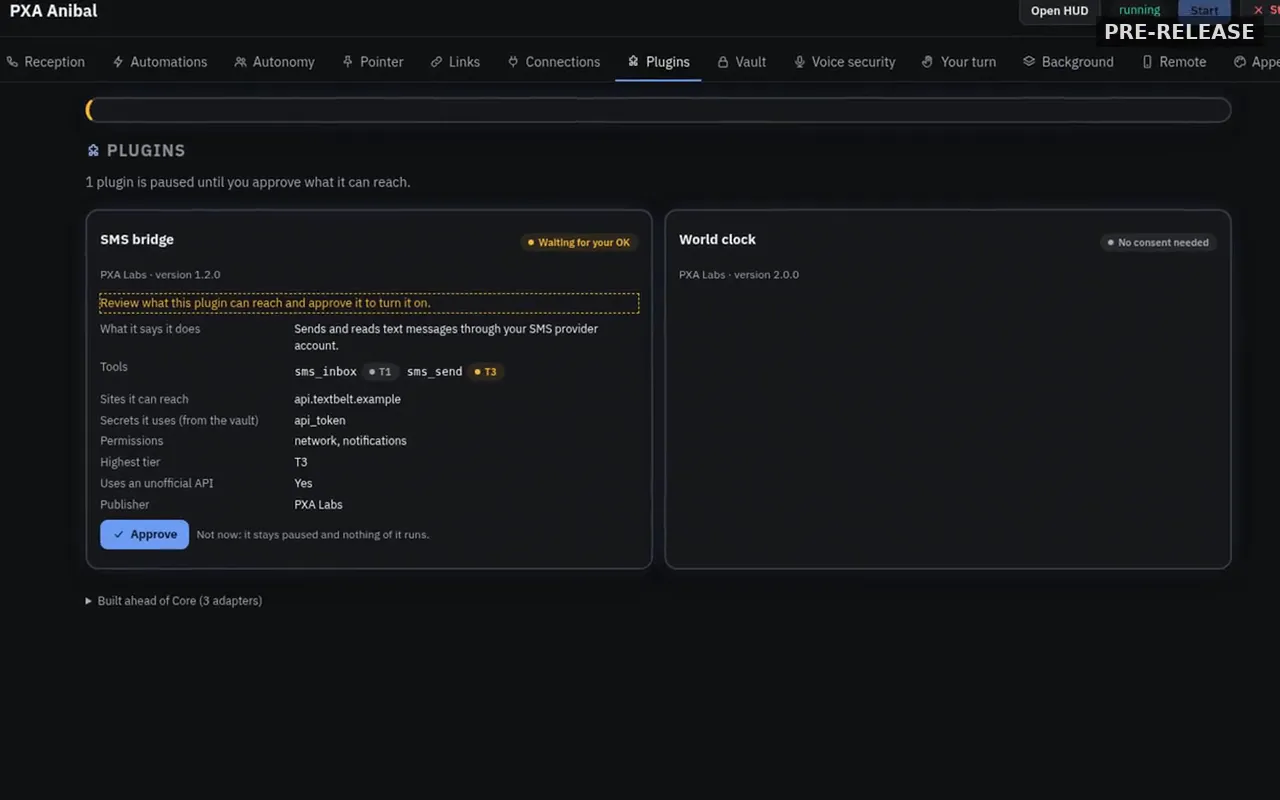
Anibal plugins page with one plugin waiting for approval and listing what it can reach.PRE-RELEASE

Plugins consent

A plugin stays paused until you approve what it can reach.
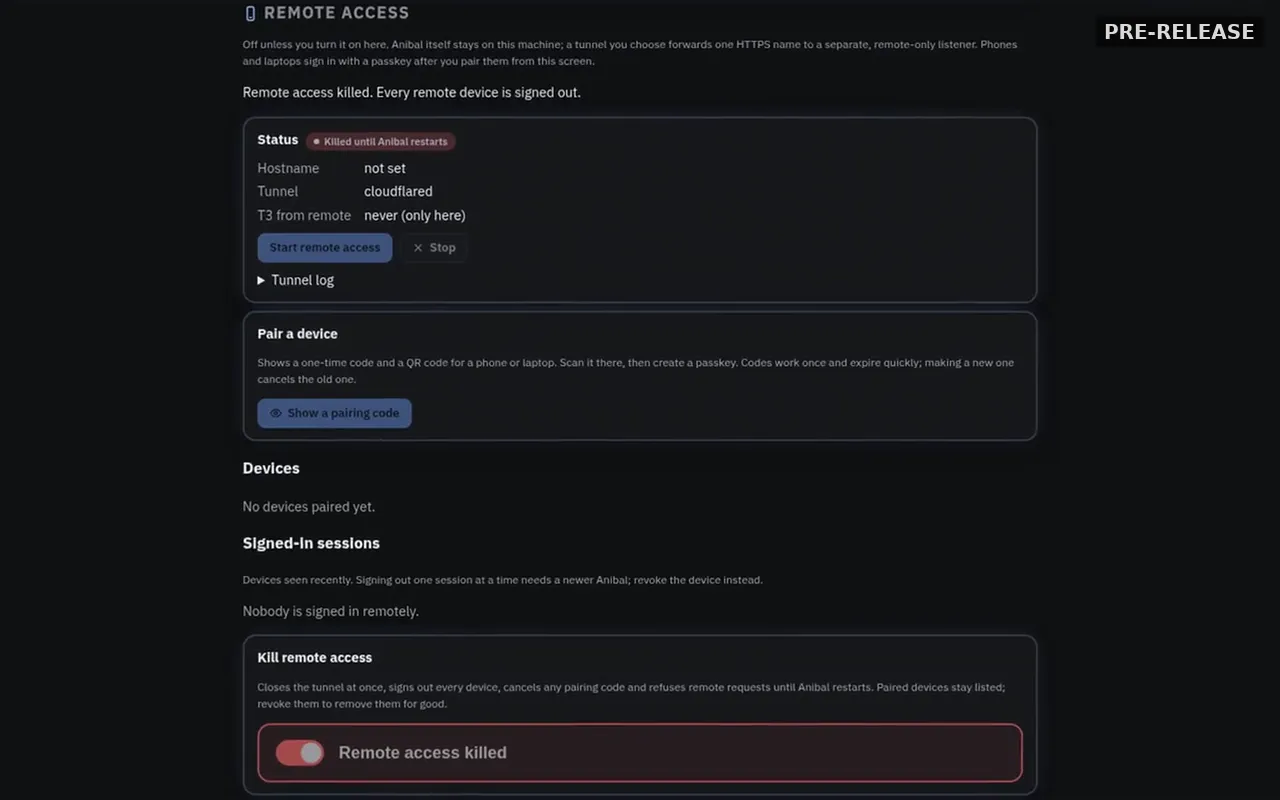
Anibal remote access page with the kill switch on and remote access killed.PRE-RELEASE

Remote kill switch

One switch kills remote access and signs every remote device out.

Try it here

Live previews built from demo data. Nothing here talks to a real agent. Demo PRE-RELEASE Coming soon

Launcher

DemoPRE-RELEASE

Press Ctrl K in Anibal, type, and pick an action.
  • Open Tasks
  • Open Memory
  • Open Calendar
  • Open Approvals
  • Open Workflows
  • Open Remote access
  • Ping my phone
  • Stop Anibal
  • Executive briefing
  • Review approvals
  • Search memory

↑ ↓ to move · Enter to run · Esc to clear

Approvals

DemoPRE-RELEASE

A tool asks first. You answer.

T2notify_phoneWaiting for your answer
  • Anibal wants to send a notification to your phone.
  • Message: “Garden plan is ready to read.”

Step trace

DemoPRE-RELEASE

Every step of a task, as it happens. Open a step to see what it did.
You asked: Plan a quiet weekend from my notes

StepsLocal model

Here is a plan for your weekend. One step is waiting for your answer.

Voice orb

DemoPRE-RELEASE

The orb shows what Anibal is doing: listening, thinking or speaking.
Listening… say “Hey Anibal”.

Memory search

DemoPRE-RELEASE

Ask about your notes. Answers point back to where they came from.

Answers show here, with the notes they came from.

  • Garden notesPlant the tomatoes after the last frost. Basil goes next to them.
  • Trip ideasSam suggested the lake cabin. Bring the blue tent and the map.
  • Reading listFinish the sea novel first, then the short stories Mina lent me.

A closer look

Our flagship local assistant. Say “Hey Anibal”. It asks before it acts, and remote access stays off unless you turn it on.

Hey Anibal
Tool tiers
Remote access & kill switch

Screenshots

Real screens from a pre-release build. Anibal is coming soon.

Anibal pre-release screenshot. Chat tab with a demo conversation.
Chat tab with a demo conversation. Pre-release build.

Downloads

Linux x86_64

Coming soon

Checksum: available at release
VirusTotal: available at release

Windows (.exe)

Coming soon

Checksum: available at release
VirusTotal: available at release

macOS

Later

Checksum: available at release
VirusTotal: available at release

Supporters

The store is donation-based: Ko-fi.

Valued Supporters: 120 coins a month and the beta channel.

Coins unlock plugins and PXQN encodes: 10 coins per completed encode. A failed encode uses no coins.

Supporters →